A clean and efficient cross-platform todo list app
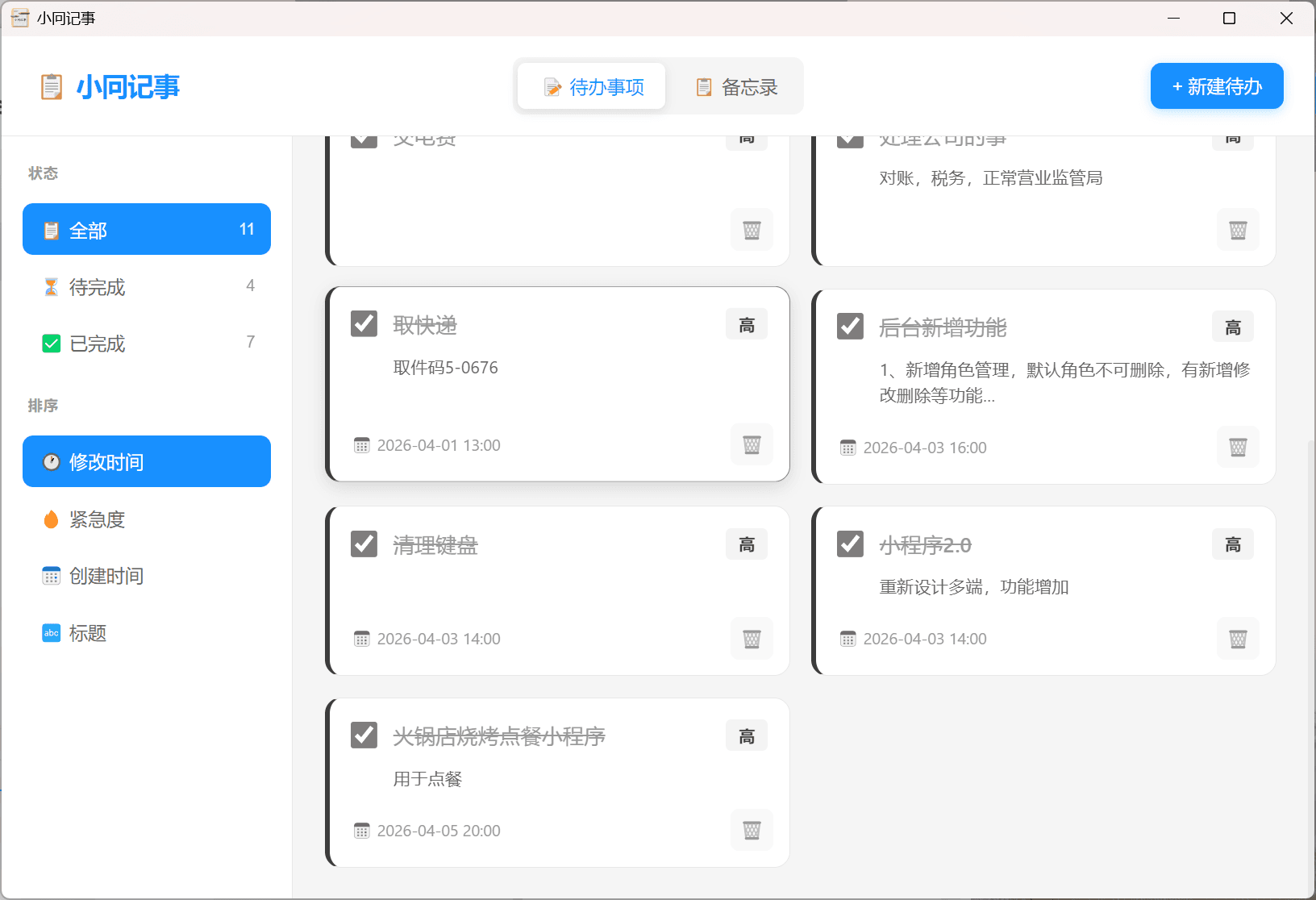
JNote is a lightweight cross-platform todo list management tool. It uses React 18 for the frontend UI and Electron 29 to package it as a desktop application. It provides complete task lifecycle management: when creating a task, you can set a title, description, priority (high/medium/low), and due date (date + time); task completion status can be toggled with a single checkbox; tasks can be edited or deleted at any time. The sidebar displays task statistics (total/completed/pending) and quick filters (all/pending/completed). All data is stored locally via localStorage and works offline. The responsive layout ensures a great experience on both desktop and mobile.
Design
JNote's design philosophy is "lightweight, intuitive, non-intrusive." The UI adopts a left-right split layout: the left sidebar houses statistics and filters, while the right main area displays the task list — matching users' mental model of task management tools. The top navigation bar includes the app title and a "New Task" entry point. Task cards clearly display the title, priority badge (high=red / medium=yellow / low=green), due date, and action buttons. A modal dialog is used for creating and editing tasks, keeping the main view uncluttered. The color palette is clean and restrained, with white and light gray as primary colors and red/yellow/green for priority differentiation, creating a clear visual hierarchy.
Architecture
The project follows a two-layer architecture: "Frontend SPA + Electron Shell." The frontend layer is built with React 18 and bundled by Vite 5. Application state (task list, filters, modal visibility) is managed via useState, and data persistence relies on the browser's localStorage. The Electron layer handles desktop window management (main process in electron/main.js). In production mode, it loads the Vite build output (dist/index.html); in development mode, it connects to the Vite dev server. The workflow: start the Vite frontend preview with npm run dev, then launch the Electron window with npm run electron. Packaging uses electron-builder to produce Windows (NSIS installer) and macOS (DMG image) builds.
Tech Stack
Links
Messages
Anyone can leave a message or reply. Author replies are labeled automatically when logged in.